UXD

Human Factors & UX for Complex Systems, Command & Control and MedTech, AI Products People Can Trust

About Me

I help people trust and act on complex systems. I'm a Cognitive Engineer of C2 systems, MedTech and AI products, and a lecturer of UX, HCI and Product Innovation at the University of Haifa.

My Calling

My name is Shay Ben-Barak, and for more than two decades I have worked where human judgment meets complex systems. I lead projects from idea to delivery: user research, need analysis, task analysis, usage scenarios, UX concept, and detailed wireframes and behaviour. I cooperate with first-class Art Directors to achieve high-end visual design.

When I was about 16 years old I read an article about cars' ergonomics in a youth journal. Ever since, I knew that human-technology interface, usability, user-experience (call it whatever you like) was my vocation, and although I've been doing it for a while now, I'm still all enthusiastic about experience and product design.

My Approach

Our brains give machines trust they haven't earned. Generative AI brings this problem to every product, not only mission-critical ones: people often keep following a system after they have seen it fail, mistake a fluent answer for understanding, and lose skills they stop practicing. Design is part of the cause, so it must be part of the fix.

Design that puts judgment back in human hands:

  • Calibrated trust, not maximal trust: reliance that matches what the system can actually do.
  • Deliberate friction where a pause prompts judgment.
  • Real human control instead of one-click approval of AI recommendations.
  • Interfaces that show the system's limits and uncertainty instead of hiding them.

The usual message is to use AI to design faster. Mine is to design so that people keep thinking.

My Know How

My work includes Command & Control (C2) interfaces for air-defense and homeland security (HLS) systems, clinical workflows for international healthcare corporations, and MedTech products ranging from surgical and other medical devices to monitoring platforms, alongside financial systems, C4I systems, learning-support frameworks and consumer products. Many of these are environments with zero room for error, where operators make sub-second decisions. I've been hired by all kinds of organizations, from small startups to government bodies and international corporations.

I have a master's degree (M.Sc.) in Cognitive Engineering from the Technion. My academic background gives me a deep understanding of how people process information: perception, attention, situational awareness, memory, control and skill acquisition. My master's thesis is about Mental Models, and it was published as chapter 5 of this book, and in additional scientific papers.

Since 2019 I teach an advanced UX design course in the HCI graduate program of the University of Haifa. The course has an explicit GenAI policy: AI as a coach, not a crutch. Students disclose how they used AI, critique its output, and are graded on evidence of their own thinking.

I'm a UX mentor (pro bono) at Google for Startups Accelerator - a global acceleration program that helps startups build and scale great products.

SERVICES

I help product teams design systems that professionals understand in depth, trust wisely, and operate precisely, even under extreme conditions. My experience spans many fields, from air defense and medical lasers to precision agriculture, government services, and education. In three of them it runs especially deep: medicine and medical devices, command and control systems, and AI products. But human factors engineering methods work wherever people need to make sense of complex information and make decisions, so I also work on systems in many other fields. Alongside this work I run workshops and give talks, and if you would like to start small, you can start with an expert review at a price agreed in advance.

How I Work

Every project starts with understanding the users, their work and the context. I prefer to observe them in their real environment rather than only interview them, because people are much better at telling you what they want than what they need. From there we move on to analyzing the users' workflows and roles, then to specifying the product and the interaction model, to a prototype and to testing with users, and quite often we step back when a test teaches us something new. A project can be a review of a few days, or support for a system over several years, from shaping the concept of operations to the next generation of the product. I work in full partnership with product managers, engineers, subject-matter experts, and decision makers, and the deliverables match the way your team works: workflow diagrams, wireframes, prototypes, state machines, or a detailed specification of screens and edge-case behavior.

Shay Ben-Barak

Medical Devices and Systems That Fit the Real World

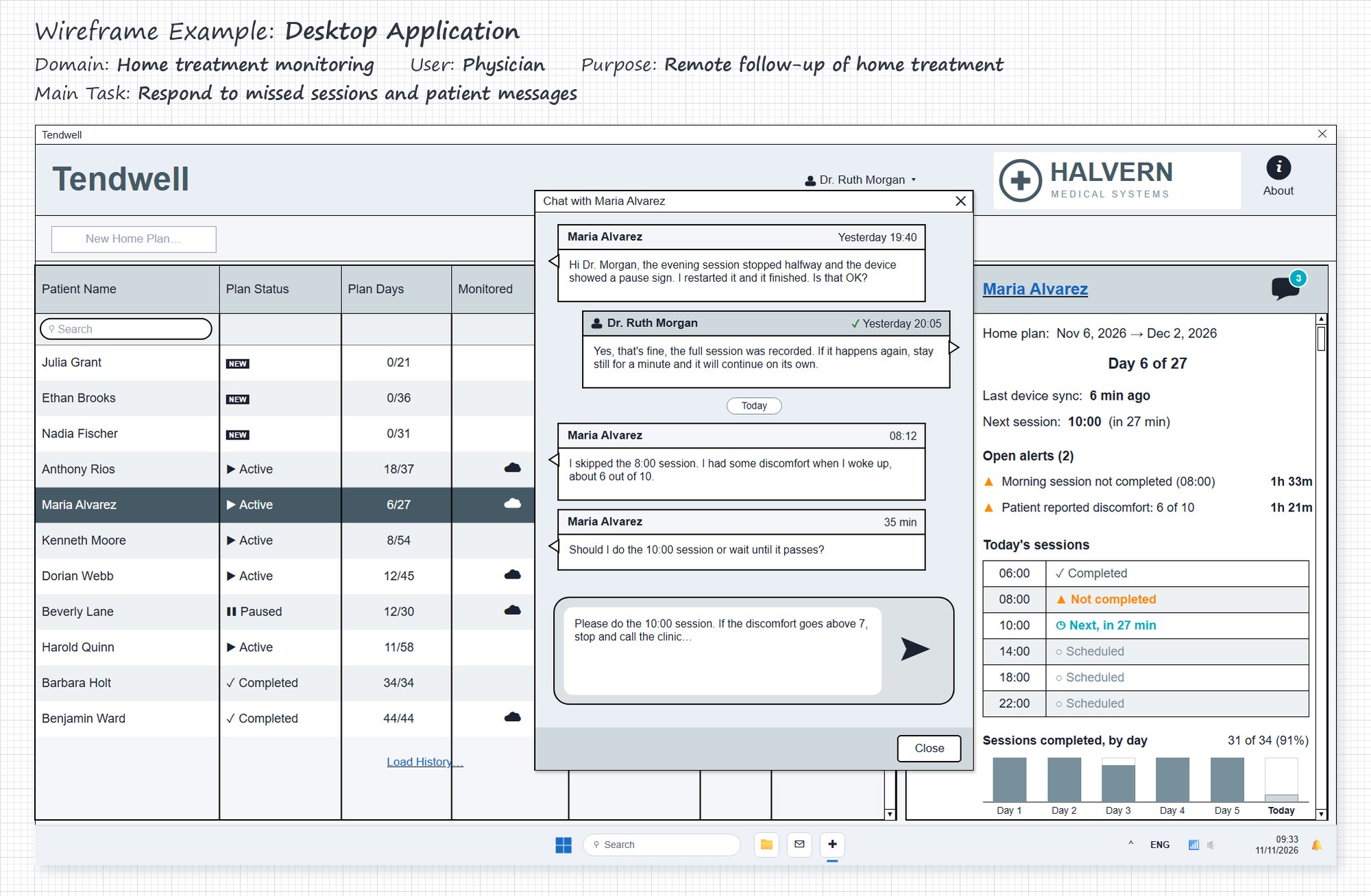
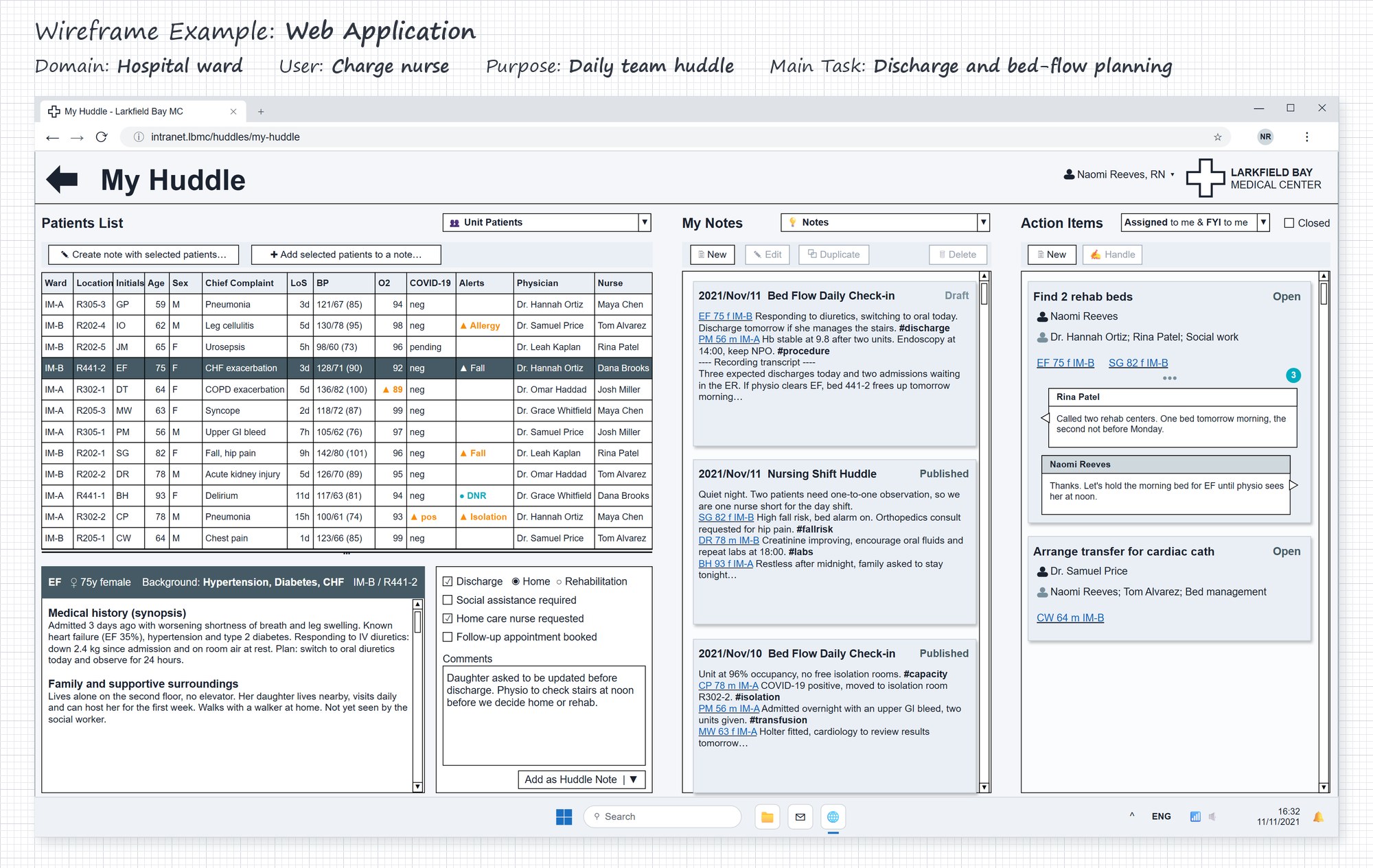
A medical device or clinical system doesn't work in the development lab. It works in an operating room, a busy ward, a clinic, a lab, or the patient's home: with gloved hands, under time pressure, between one alarm and the next, and sometimes at the end of a long shift. I observe users in their real environment, analyze their workflows and design the interface in all its states, from setup and calibration, through treatment, to error messages. Then I test it with representative users, so that the product fits that environment and the team's daily routine.

Who it's for
Medical and aesthetic device companies, such as lasers and energy-based devices, orthopedics, sterilization, and lab systems; digital health companies developing patient apps and tools for clinical staff; pharma companies that need user research; and hospitals developing systems to manage clinical processes.
When to call me
When you are planning a new device or a new generation of an existing one; when several types of users (physicians, nurses, technicians, patients) work with the same product; when the device impresses in a demo but gets stuck in the field, or the same use errors keep coming back; when a digital tool for clinical staff doesn't become part of the ward's routine.
What you get
A map of the users, their tasks and their workflows; a specification of the device interface covering all its screens, states, and messages; a list of the points where use errors are likely, with a recommendation for each; a prototype tested with users, and a findings report; a user interface design document (UIDD) for development. The deliverables are also a good basis for the product's usability engineering file (for example, for FDA submissions).
Let's talk

Command & Control and Operations Systems

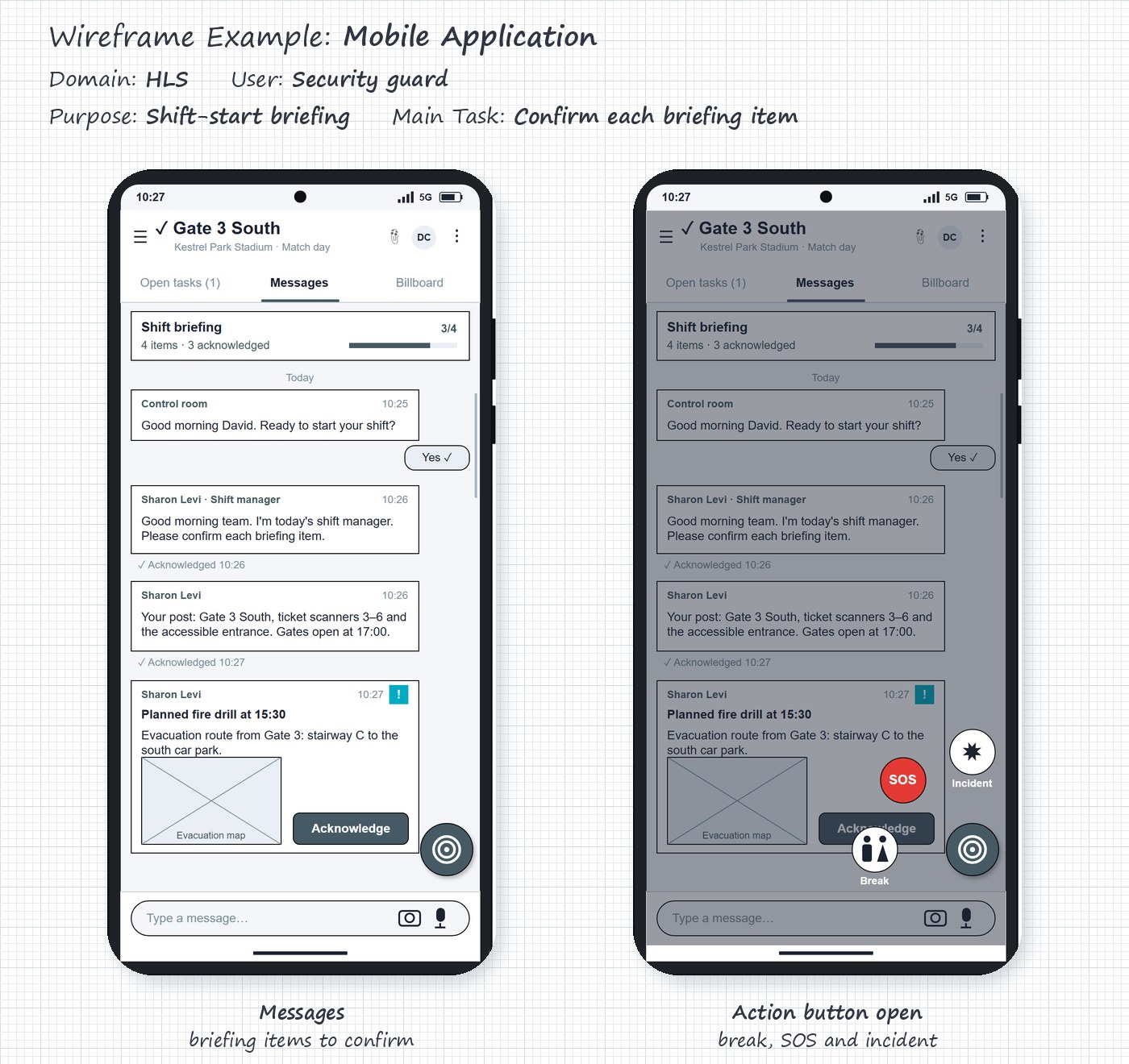
In command and control and operations management systems, whether military, security, or civilian, the operator must understand what is happening, decide, and act, sometimes in a split second and amid a large volume of information. In these projects, I go deep into the system: together with you, I shape the concept of operations and the division of work between the operator and the system, analyze operators' and work teams' tasks and decisions, and design interfaces that support the operator's situational awareness without overwhelming them. I test the interface with operators in representative scenarios: routine, high load, and emergency.

Who it's for
Military systems such as air defense, radar, and naval systems; homeland security (HLS) and cybersecurity; civilian systems such as control rooms for infrastructure and transportation, detection and alert systems, and hospital command centers; and operations management systems, such as crew scheduling and fleet management.
When to call me
When you are starting a new system and need to decide what the operator does and what the system does; when you are replacing a legacy system; when operators miss alerts or learn to ignore them; when the switch from routine to emergency exposes problems; when you are adding automation or AI capabilities to the system.
What you get
A concept of operations (CONOPS); a definition of the system's modes and states, and a state machine; a human-machine interface design document (UIDD / MMI), with principles for the situation picture and for alert management; a prototype tested with operators, and a findings report; operating procedures; a specification document for development.
Let's talk

AI Products People Can Trust

A good AI product doesn't ask its users to trust it blindly. I design interfaces where the extent to which users rely on the system matches what it can actually do, and where the human remains the one who exercises judgment. I examine the decision points in the product, define what the AI does on its own, what it only suggests, and what stays in human hands, and test with users not only whether the product is easy to use, but also whether they know when not to trust it.

Who it's for
Teams developing an AI product or adding AI capabilities to an existing product, from sales and marketing tools to clinical and security systems, and especially in fields where mistakes are costly: health, security, finance, and infrastructure.
When to call me
When users approve recommendations with one click without checking them; when they abandon the product after a single mistake; when you need to show real human oversight, for example ahead of the EU AI Act requirements for high-risk systems.
What you get
A map of the product's decision points, showing where users rely on the AI, how the system's uncertainty and limits are presented, and where deliberate friction is missing; a definition of task allocation between the human and the AI, and of the human oversight points; a design recommendation for each point; wireframes and prototypes of alternatives; a findings report from the user tests.
Let's talk

Professional Systems in Other Fields

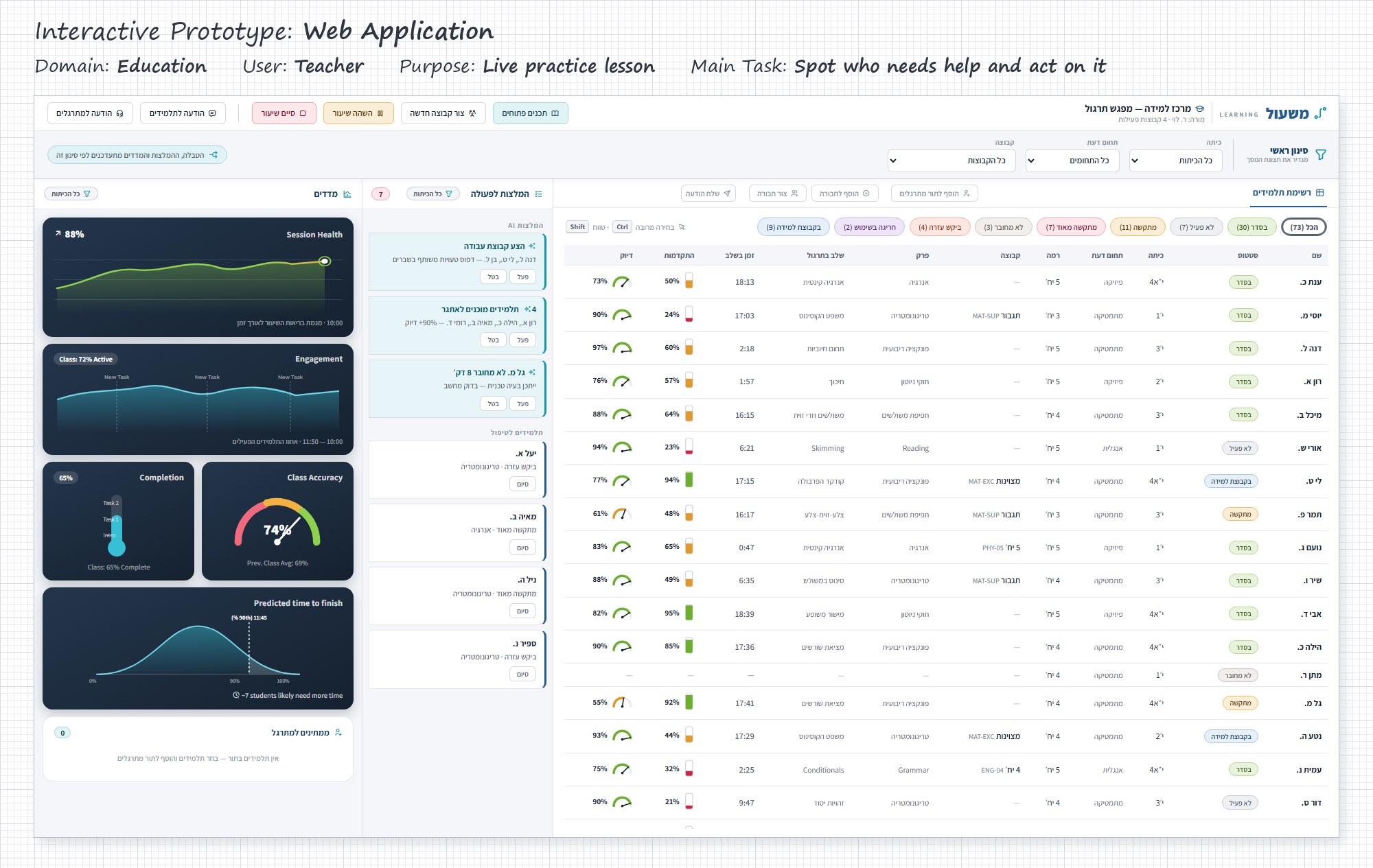
What most of my projects have in common is that they are systems professionals work with every day: a physician, a technician, an operator, a planner, a dispatcher, or a teacher. Human factors principles don't belong to any one industry, so the same methods work wherever people need to make sense of complex information, make decisions, or follow a process: understanding the users and their work, specification, prototyping, and testing.

Who it's for
Government ministries and digital public services; FinTech and financial systems; precision agriculture; education and EdTech, such as teacher dashboards and learning management systems; and business software, such as sales and marketing tools and CRM systems.
When to call me
When you are starting a new product and need to understand who it is for and what it should do; when an existing product is too complicated for its users; when every new feature makes the product less clear; when a long-standing organizational process goes digital, and the work must carry on without disruption.
What you get
Workflow diagrams and usage scenarios; insights from user research; wireframes and a prototype, with a usability testing findings report; a detailed specification document for development.
Let's talk

Workshops and Talks

Hands-on workshops and talks for product, development, and design teams, based on my project experience and my academic teaching. Each workshop is tailored to your team and your product, and covers one of these topics or a combination of them:

  • Working with AI in the design process without losing judgment.
  • The AI trust paradox, and how to design for calibrated trust.
  • Task allocation between people and systems: what to leave to people, what to automate, and how to design the handover between them.
  • Human factors for complex systems: attention, workload, and situational awareness, and what they mean for the interface.
  • A Google Design Sprint workshop, where you shape a concept for a new product in six steps.
Who it's for
Product, development, and design teams, product managers and technology leadership, technology units, and professional conferences and meetups.
When to call me
When your team starts working with AI in the design process and needs working rules; when you are starting a new product and want to agree on a shared direction; when you want the whole team to speak the same language about users; when you are looking for a talk on people and AI working together, based on real projects.
What you get
Agreed working tools for using AI in the design process; a calibrated-trust checklist, already applied to your product during the workshop; guiding principles for your system. In a Design Sprint: a concept and a prototype tested with users. In a talk: a way of thinking and real-world examples you can apply to your own products.
Let's talk

Any of these services can also include visual design, which I do together with senior designers who specialize in digital products, or I can work with your own studio or designer.

I have worked in these fields, among others:

  • Air defense and military C2
  • Radar and naval systems
  • Homeland security (HLS)
  • Cyber
  • Intelligence and C4I
  • Control rooms for infrastructure and transportation
  • Detection and alert systems
  • Crew scheduling and fleet management
  • Lasers and medical aesthetics
  • Medical and surgical devices
  • Lab systems
  • Hospital command centers
  • Digital health
  • User research for pharma
  • Digital government services
  • FinTech and financial systems
  • Precision agriculture
  • Education and EdTech
  • Consumer and mobile products

Blog

There are so many blogs about User eXperience and product design out there; most of them are in English. My blog is usually in Hebrew, but there are English posts, as well. I’m doing an effort to be genuine, to bring intelligent examples and how-to advice, while also explaining the reason beyond it. You are most welcome to read and to comment.

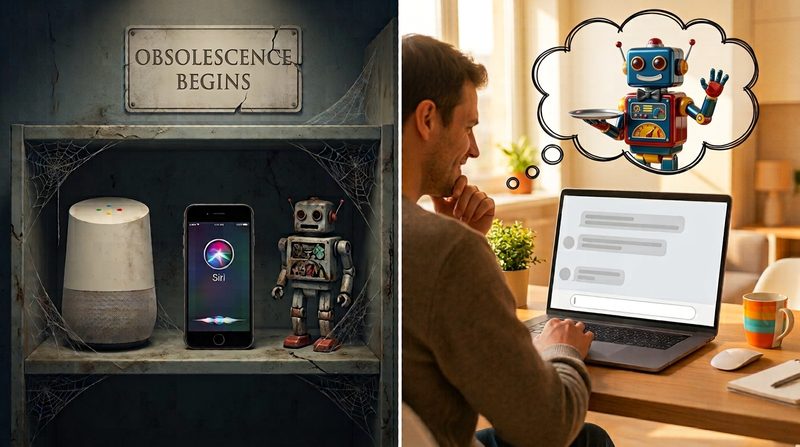
Left: a dusty shelf with a smart speaker, a phone showing Siri and a rusty toy robot, under a sign reading Obsolescence Begins. Right: a man smiling at a laptop with a chat window, imagining a colorful toy robot holding a tray.

Mental Models of Personal Assistants, and What Has Changed Recently

In February 2019, I wrote on my blog (in Hebrew) about how users perceive "personal assistants": Siri, Alexa, and Google Assistant. Since then, voice assistants have stepped out of the spotlight to make way for Generative AI chatbots, and in the AI world overall, the pace has accelerated and everything has become smarter. That’s obvious! What isn’t entirely clear is how these changes affect us and the way we use, work with, and perceive technology. Let’s start with what we knew back then, see what still holds true, and get to where we are today.

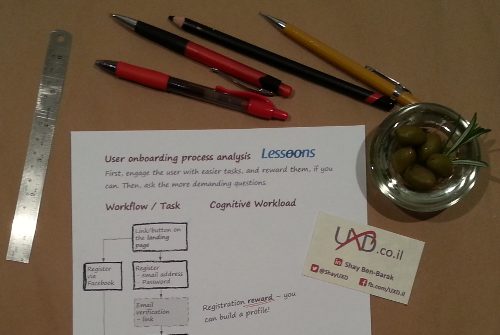
Onboarding Process Analysis

Onboarding Funnel Analysis

Lessoons is a platform connecting students with private tutors. It's available in Hebrew for the time being, and we are making our first steps in acquiring users. Tutors need to create public profile with skills, location and pricing, plus a descriptive introduction that represents their personal voice. Users that own a profile can share it over social networks.

How to get a user to invest in creating a representative profile – a task that sometimes can be grasped as annoying? Demographics and skills selection (out of a structured list) were not expected to be perceived as demanding tasks in nature. In contrast, composing one’s own personal voice and deciding about tutoring-fees to be published on the internet, require more thought and creativity which means higher mental effort.

Annoying Hotel Room

Good Intentions Paved the Way to this Annoying Hotel Room

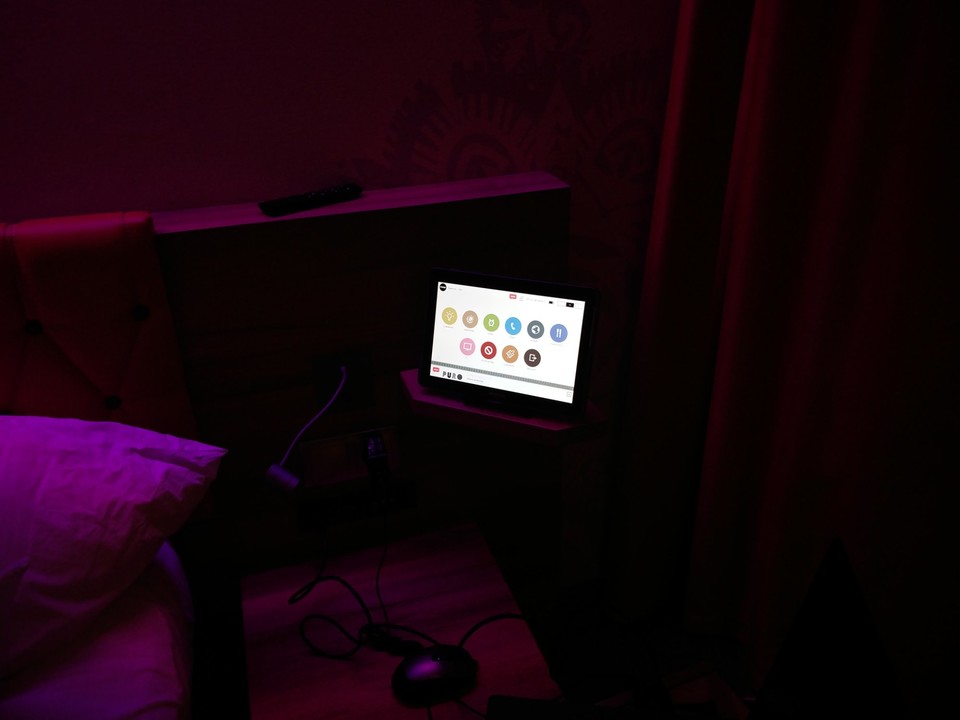
In this hotel room there are no light switches! All you get is this tablet. When you enter the room, lights are switched on automatically, so you won't need to search your way in the dark, and you get 4-5 minutes to put the room-card in its pocket (that's more than enough). This is great!

Now let's have a look on the downsides of this ill-designed setting

  • When you are looking for that specific article of clothing in your suitcase, or for your wallet in the room's safe-box, and you want to switch on the light at the entrance, your instinct would probably be to switch the light on. Right? Yet, there is no switch nearby - go fetch the tablet.
  • When you get up to use the restroom, while it's still dark, would you like the restroom to be flooded with white-light that burns your sight and wakes you up? No? This shit is automatic!
  • Now there is the co-operation of this Samsung tablet with the Samsung smart TV in the room. Co-operation? Well, you can switch channels on the TV using the table, but what about the more challenging task of controlling the TV's apps? It's almost obvious to utilize the tablet here as a keyboard, but surprisingly it didn’t crossed the mind of Samsung's engineers - you will need to use the TV's on-screen keyboard and operate it using the remote control - a super frustrating task. Eventually, you will end up with the TV stuck on playing your favorite radio station (using TuneIn app) over the soundtrack of the selected TV channel - use the tablet to call the reception and ask them to rest the TV.

I truly love technology and gadgets, but these artifacts aren't really helpful, if they are not designed for non-techy humans, and if they are not tested with such users through common scenarios. In such case they are actually annoying and unlikable.

UX is not only digital

Two minutes project

This is something I prepared when I was 16 or 17 years old. Only years later I’ve come to realize that it is actually a UX project and one with a lesson to learn.

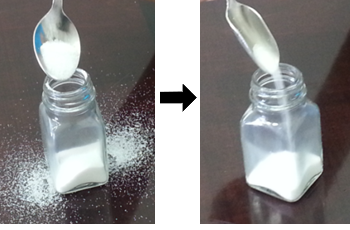
The problem was the mess we got around the salt-shaker after feeding it with a teaspoon, and I’ve saved it by bending the teaspoon to fit with the salt-shaker opening (see the picture for before and after). Simple, isn’t it? Why bother with writing about it? And anyway, we could use a funnel to feel the shaker.

Glass

Well, you could have, but that’s exactly the point – with the bent teaspoon the process is much more efficient and precise, but the user need not learn anything new or to use any additional tool; they get to keep the very same workflow they are already accustomed to with an improved tool that supports them in achieving much better results.

Same workflow, same habit, but with a suitable tool – better achievements in less time! Two-minute UX project with a lesson to learn. Done.
Typewriter

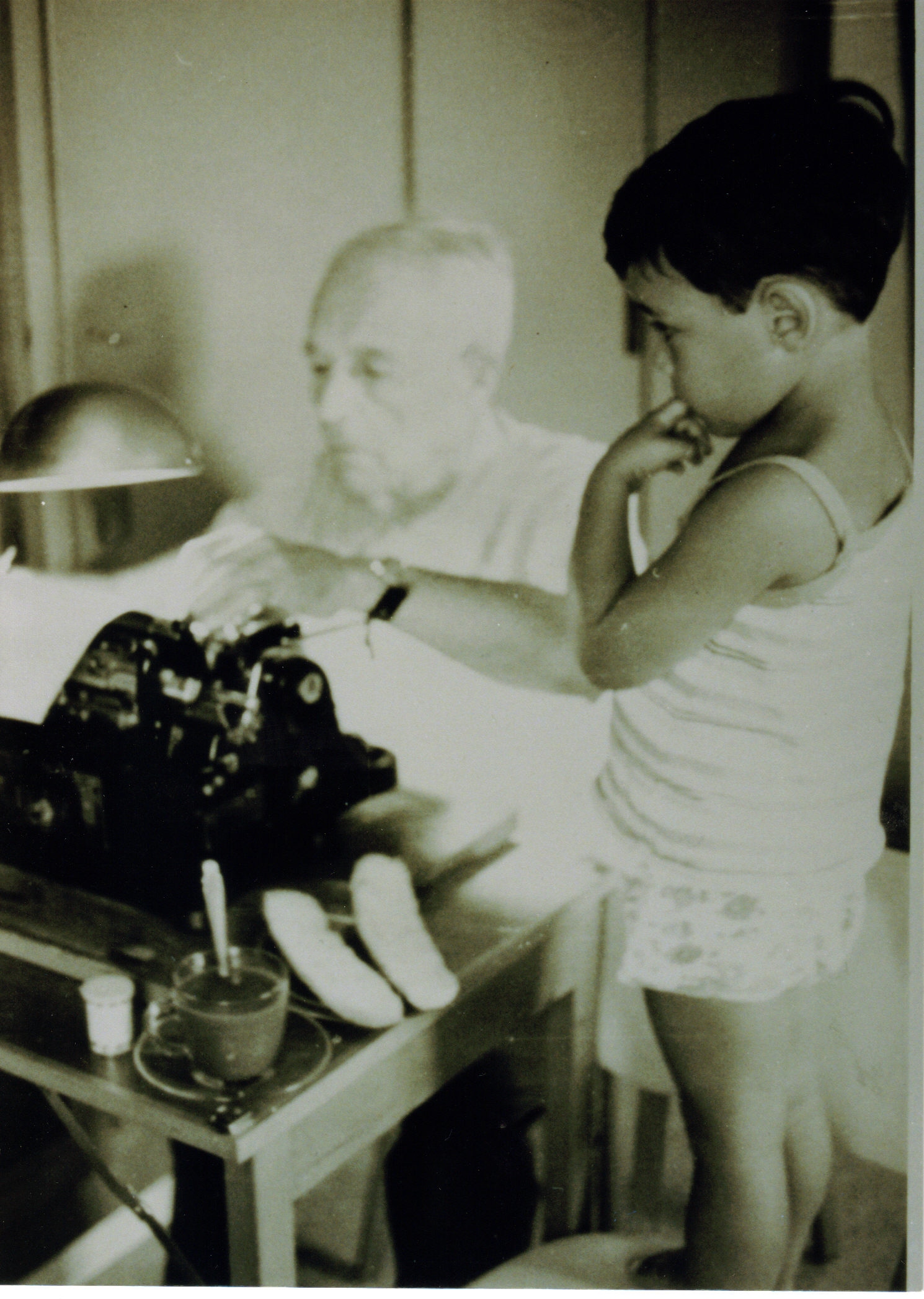
Great-grandpa and I at the old typewriter

מקלדות ומה אפשר ללמוד מהן על אסטרטגית מוצר ועל חוויית משתמש

אנחנו יודעים שתסדיר ה-QWERTY במקלדת הלטינית נולד מאילוץ טכני – הוא תוכנן כך שאותיות המופיעות בשפה בשכיחות גבוהה זו ליד זו, יהיו רחוקות זו מזו במקלדת. ראיתם פעם מכונות כתיבה ישנה? לכל אות יש זרוע, שכאשר לוחצים על המקש, היא עולה להטביע את צורת האות על הדף ונופלת חזרה למקום. אם הזרוע הסמוכה מתחילה לעלות, לפני שהזרוע הקודמת נפלה חזרה למקום, הן עלולות להתפס זו בזו. סידור ה-QWERTY נועד כדי להפחית את השכיחות לארוע כזה.

Glass

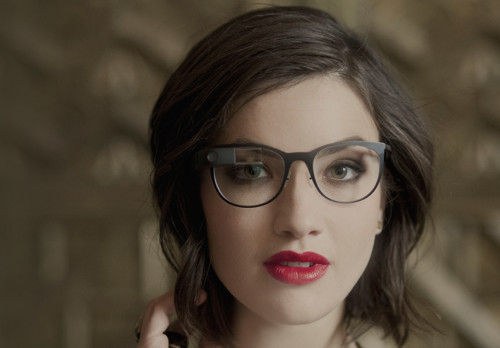
האם מסוכן לשוחח בטלפון בעת הנהיגה ואיך זה קשור למשקפי גוגל

  • שיחה בטלפון בזמן נהיגה היא מסוכנת, אבל אפשר לשפר את היכולת הזו ולהפחית את הסיכון. נהגים מנוסים גם יודעים להעריך את תנאי הנהיגה ולהחליט אם לקיים שיחה או לדחות אותה.
  • נהגים צעירים לוקים בהערכת יתר בנוגע ליכולות שלהם וכשהם משוחחים בטלפון, בזמן הנהיגה, הם מסכנים את עצמם ואת הסביבה!
  • משקפי גוגל עשויים לצור עומס לא מבוקר על מערכת הקשב האנושית ולכן הם עשויים להכשיל משתמשים לא מיומנים. זהו איננו המוצר הבא של ההמונים, אבל יש לו שימושים מאוד מגניבים עבור מקצוענים.

ראיון רדיו: חוויית משתמש ליזמים

חשבתם שחוויית משתמש היא עוד שלב בפרויקט?
חישבו שוב!

...סטרטאפים רבים, נקלעים לאפקט איקאה, כשהם קופצים לשלבי הפיתוח של המוצר מבלי להשלים את השלבים שצריכים לבוא לפני הפיתוח, וכך הם מתמקדים למעשה בפתרון ולא בבעיה. איך להמנע מכשל כזה ועוד הרבה קישורים שמשלימים את הראיון – במאמר המלא.

Bowling

Gamification (מישחוּק)

מישחוּק וכמה מילים על playfulness

התחום של gamification (מישחוּק) עושה עכשיו הרבה רעש ב"תעשייה" והוא קנה לו הרבה נאמנים. היישום העיקרי (ולמיטב הבנתי היחיד) של מישחוק הוא לטובת יצירת מעורבות (engagement) או לשימורהּ. המנגנון העקרוני הוא פשוט וכמעט שאיננו משתנה ממשחק למשחק: המשתמש מרוויח נקודות במשחק ואח"כ עולה רמה (level) או מקבל אותות (badges) מסוגים שונים ויש גם לוחות דירוג בין משתתפים במשחק (leaderboards). מה שלא תמיד פשוט הוא בחירת נושא (theme) ראוי למשחק והכיוונון הנכון של הפרמטרים.

בקהילה האקדמית אין הסכמה על כך שיש יתרון למנגנונים של gamification לאורך זמן. יש חוקרים רבים שסבורים ששימוש במנגנוני מישחוק דווקא פוגע בהנעה הפנימית (intrinsic motivation) של המשתמש לטווח הרחוק, במקרה הגרוע; או במקרה הטוב לא משפיע לכאן או לכאן.

Cube

סיפור על קובייה שלא היה בה צורך

הדרישה שקיבלנו היתה לצור חוויית משתמש תלת-מימדית. לא עזרו כל השגותינו, על כך שהמסך הוא שטוח (הא!הא! שטוח כן, לא תלת מימדי) ושאיכות התגובה שלו למגע לא מן המשובחות, שקשה עד לא-סביר למדל התנהגויות במרחב תלת-מימדי בתנאים כאלה ושמשתמשים בכלל לא זקוקים לחווייה תלת ממדית מגניבה; בוודאי שלא זקוקים לזה כל עוד לא התמודדנו באומץ עם בניית מודל ניווט סביר בתפריטי המכשיר. למרות הכל, דרשו במפגיע: תנו לנו חוויית תלת-מימד!

איך לקצר את יום העבודה

מקיצור יום העבודה (או לפחות קצת התייעלות) ועד לאפיון נכון של התראות באפליקציות

נתחיל מהסוף. אתם כותבים קוד או הצעת מחיר, מרכיבים סקיצה חדשה או מסמך; לא משנה מה – נכנס דוא"ל חדש, אתם עוברים לבדוק אותו. במקרה הטוב אתם מסיימים את המשפט קודם, במקרה הגרוע, זה עולה לכם על המסך במין אנימציה, לוכד את תשומת הלב שלכם, וקוטע לכם את חוט המחשבה. אני כבר לא מדבר על זה שהרשתות החברתיות למיניהן פתוחות בדפדפן או בטלפון וגם הן בתורן מכניסות התראות והודעות. יש לזה מחיר וזה יקר.

Contact

You are most welcome to follow UXD on social networks and say hello.

Socialize